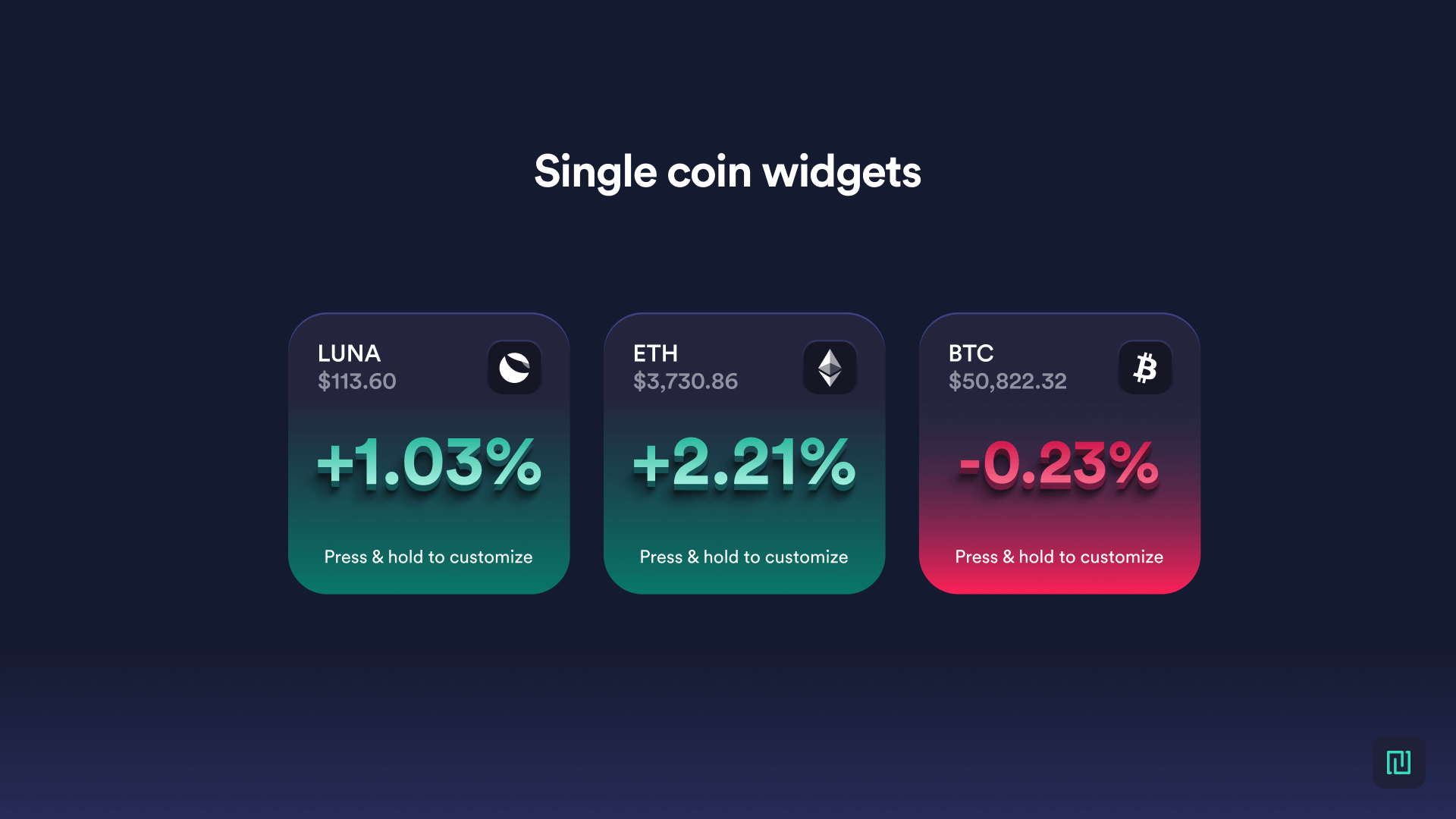
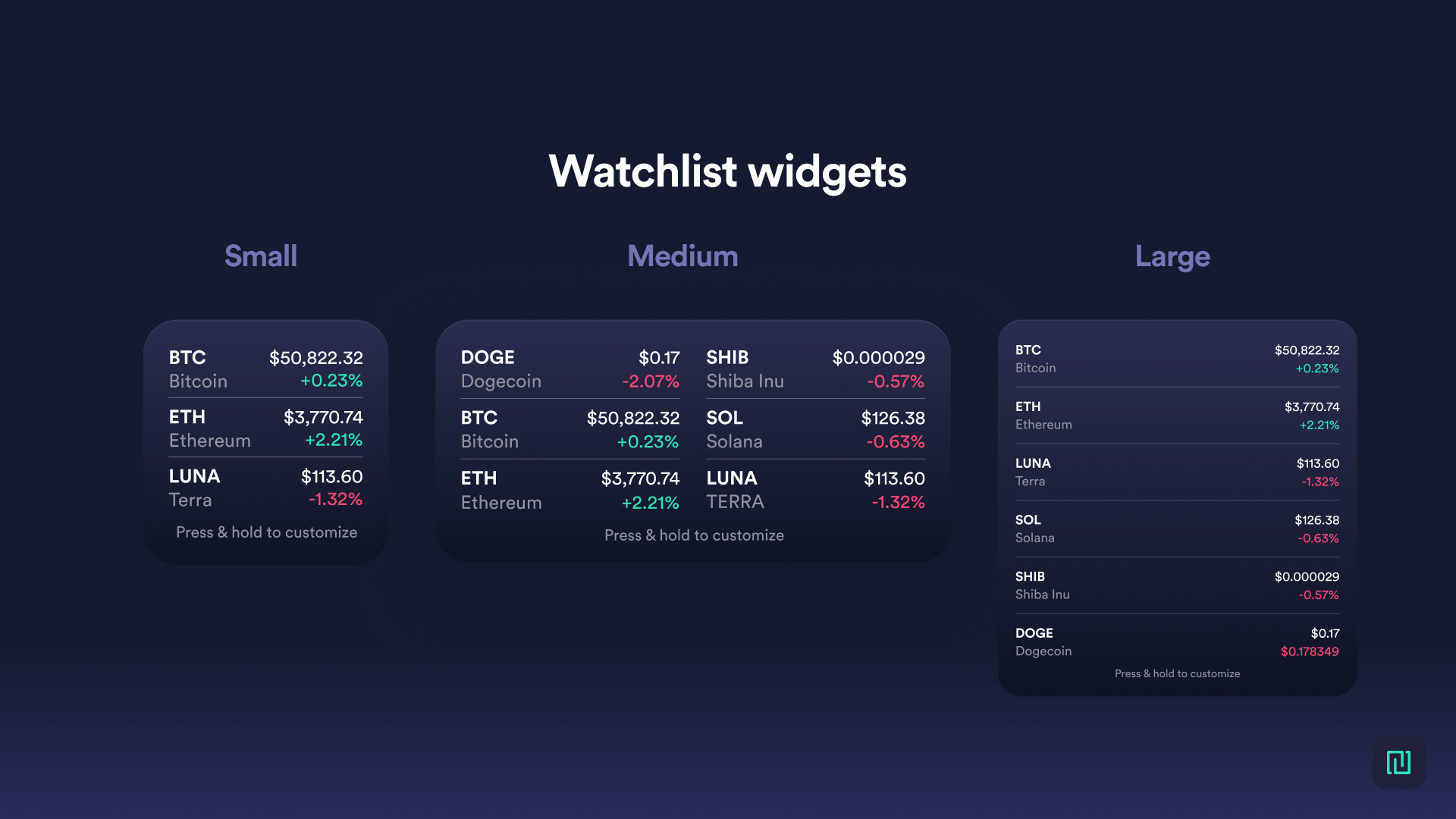
Track your favorite coins on your phone’s home screen with Newton widgets. View several coins at once with watchlists, or obsess over a single coin—the choice is yours! Starting today, you can configure two types of Newton widgets:
1. Single coin — Add a coin tile, or several, to track live prices and performance
Single coin widgets are available in small configurations.
2. Watchlist — Monitor up to 6 of your favourite coins in a single tile
Watchlist widgets are available in small, medium, and large configurations.
Ready to set up your widgets? Here's how:
iOS Users
Widgets are available in small, medium, and large configurations. Please note, iOS only supports up to 6 coins in the medium and large widgets.
From your phone home screen, touch and hold a widget or an empty area until the apps jiggle
Tap the Add button “+” in the upper-left corner
Type “Newton” in the search bar
Choose your widget—track a single coin or a watchlist of your favorite coins
Tap “Add widget”
Once the widget is on your home screen, press & hold to customize it
Choose your coins
Tap out of the widget and voila!
AndroidUsers
Android widgets offer more size customization – you get multiple options during set up. Please note, you can also add as many coins as you wish to the watchlist widgets.
From your phone home screen, touch and hold an empty space
Tap Widgets
Touch and hold a widget
Slide the widget to where you want it and lift your finger - this will take you to the widget config screen
Once added, touch and hold the widget to customize it (you can also resize the widget by dragging the dots)
Want to help us shape the products we build? We're always looking for valuable insight and feedback from our users. If you have features you'd like to see or are interested in joing our user research group, email support@newton.co
This article is for informational purposes only and does not constitute investment, financial, or legal advice. Cryptocurrencies and blockchain-based assets are highly speculative, subject to significant risks including price volatility, regulatory uncertainty, and potential total loss of investment. Crypto assets are not insured by the Canada Deposit Insurance Corporation (CDIC). Cryptocurrencies and stablecoins may be considered securities or derivatives under Canadian law, subject to CSA and CIRO oversight. Consult a qualified financial or legal professional before making investment decisions. No securities regulatory authority has expressed an opinion about any of the crypto assets made available on the Newton’s platform, including any opinion that a crypto asset is not a security and/or derivative. This blog may contain links to other websites for informational purposes or for your convenience. We do not control the linked websites or the content provided through such websites, and we have not reviewed, in their entirety, such websites. Your use of linked websites is subject to the privacy policies and terms of use established by the specific linked website, and we disclaim all liability for such use. The fact that we offer such links does not indicate any approval or endorsement by us of any linked website or any material contained on any linked website, and we disclaim any such approval or endorsements.