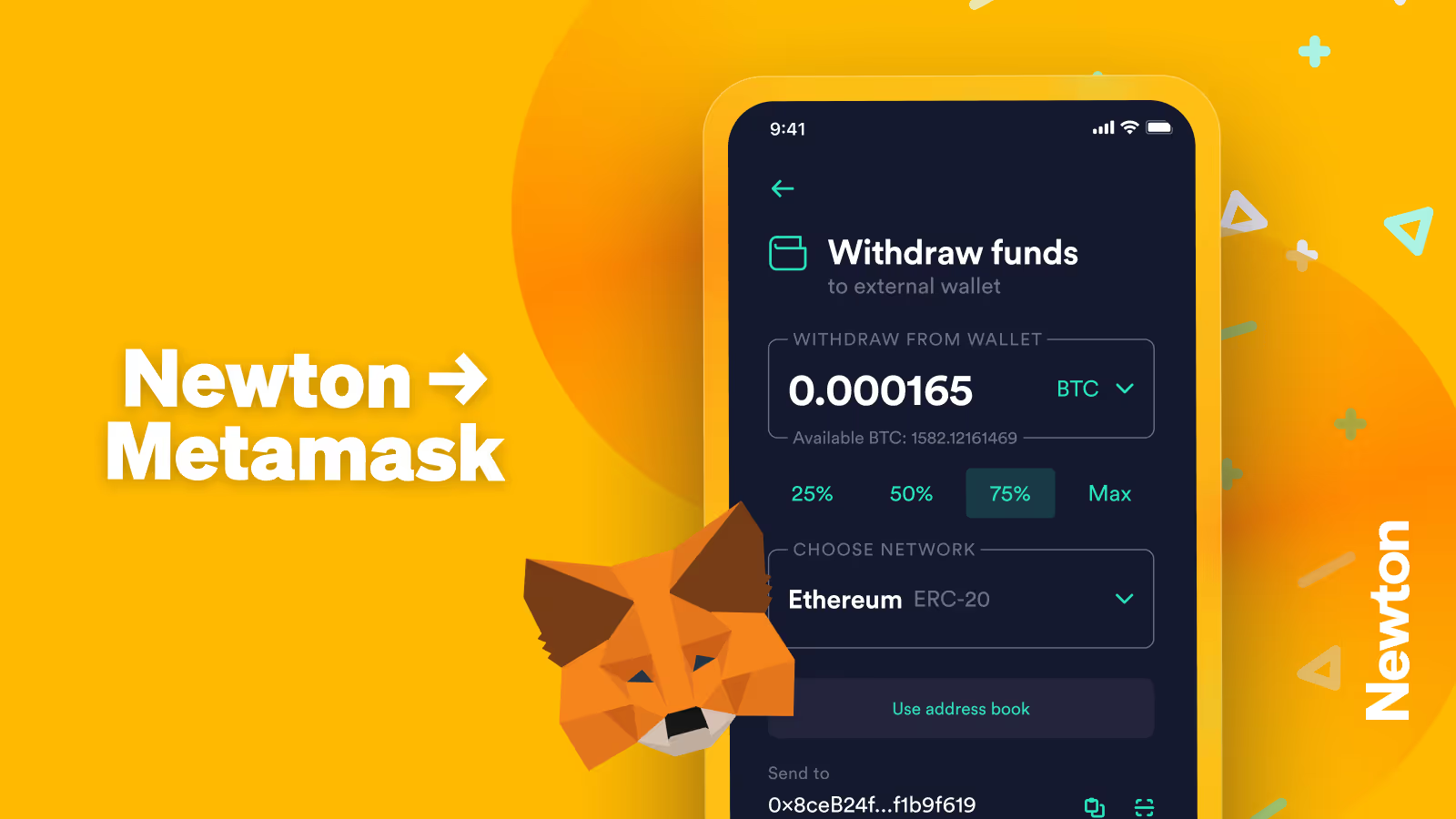
Yes, you can send crypto to a MetaMask wallet from Newton. For crypto users looking to bridge their funds between the two platforms, this guide will walk you through the process step by step.
Why Use MetaMask and Newton?
If you're a crypto user in Canada, Newton is one of the most popular platforms for buying and selling cryptocurrencies. It offers a user-friendly interface and competitive fees. While you can store crypto on Newton, it's primarily a trading platform rather than a dedicated crypto wallet. That's why many users prefer to transfer their tokens, especially larger amounts, to a self-custody wallet (either a hot wallet or cold wallet) for additional security.
One such wallet is MetaMask, a browser extension and mobile app that lets you store, send, and receive cryptocurrencies while managing your keys. By transferring your crypto from Newton to MetaMask, you can:
Access the Ethereum Network and Beyond: MetaMask supports not only the Ethereum network but also other EVM-compatible networks like Binance Smart Chain, Polygon, and more.
Interact with dApps and DeFi: MetaMask allows you to connect to decentralized applications (dApps), trade on decentralized exchanges (DEXs), and explore decentralized finance (DeFi) protocols.
Manage NFTs: Store, trade, and display your NFTs directly in your MetaMask wallet.
Own Your Private Keys: MetaMask lets you manage your private keys, unlike centralized exchanges.
The two work well as a Batman-Robin combo. Buy crypto on Newton, then move it to MetaMask for blockchain interactions.
Prerequisites
Before starting the transfer process, ensure you have:
An active Newton account with funded crypto
MetaMask wallet installed and set up
Sufficient funds to cover network (gas) fees
The correct network selected in MetaMask
Step 1: Prepare Your MetaMask Wallet
Open your MetaMask wallet.
Ensure you're on the correct network: For example, if you're sending ETH, make sure you are on the Ethereum network. If sending BNB, switch to the Binance Smart Chain.
Locate your account address: Your account address is displayed below the account name and typically starts with "0x...".
Copy your public address: Click the copy icon next to your public address to copy it to your clipboard. This will be the destination address for sending crypto from Newton.
Confirm the address if needed: To double-check, view the address on Etherscan and compare the first and last few characters to ensure accuracy.
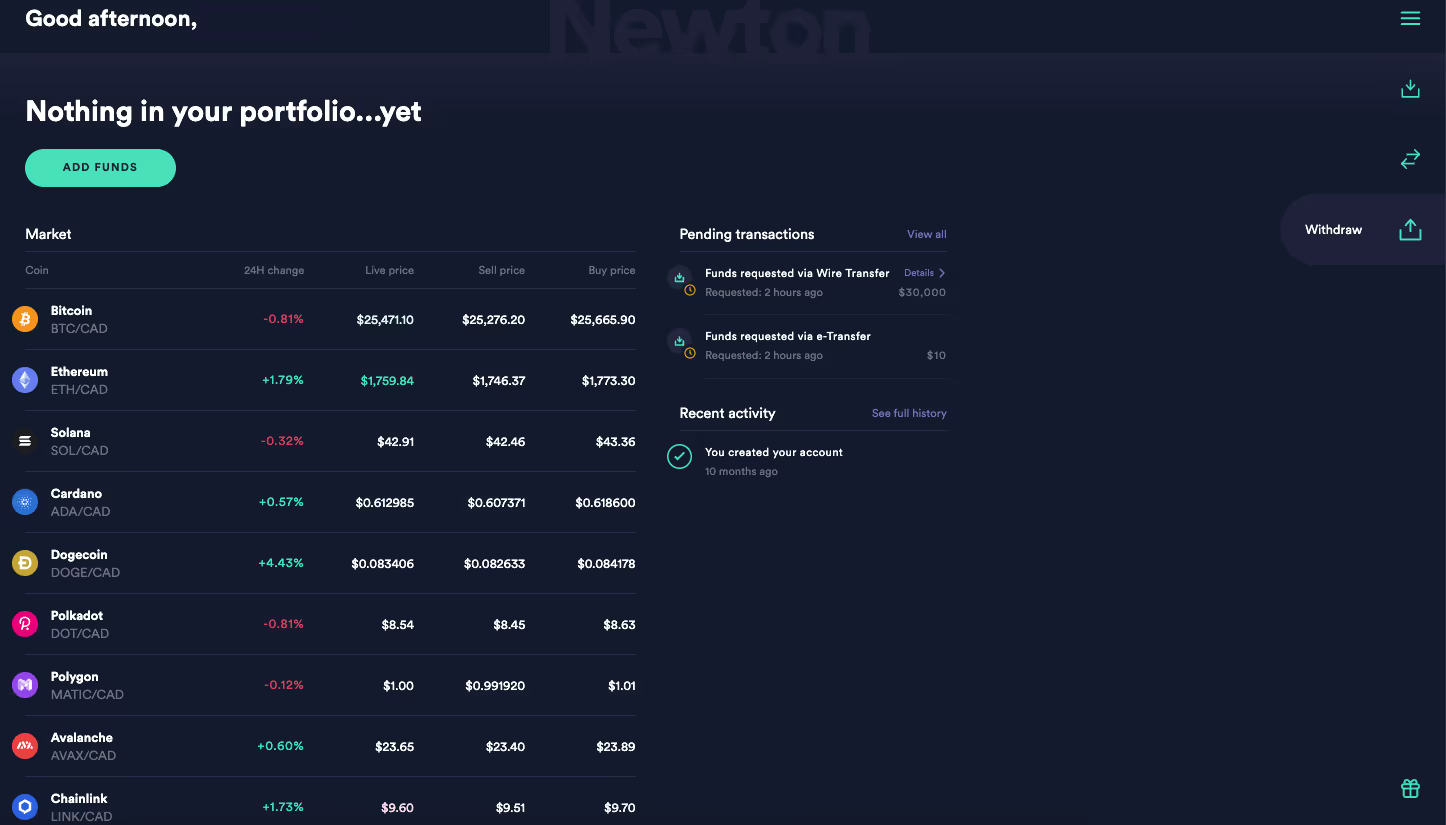
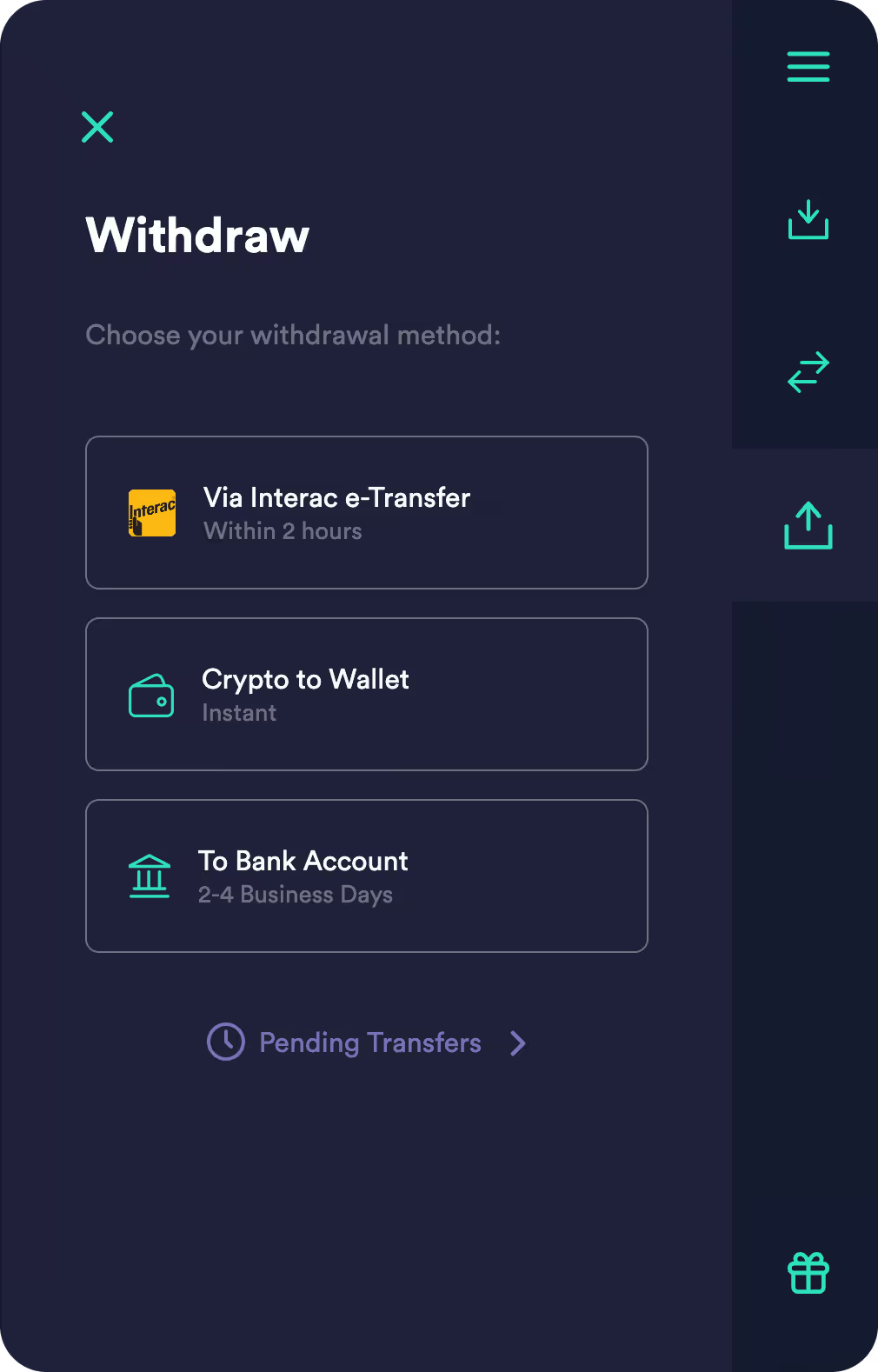
On the right-hand side of the dashboard, click on the withdraw icon (upwards-facing arrow) and select “Crypto to Wallet.”
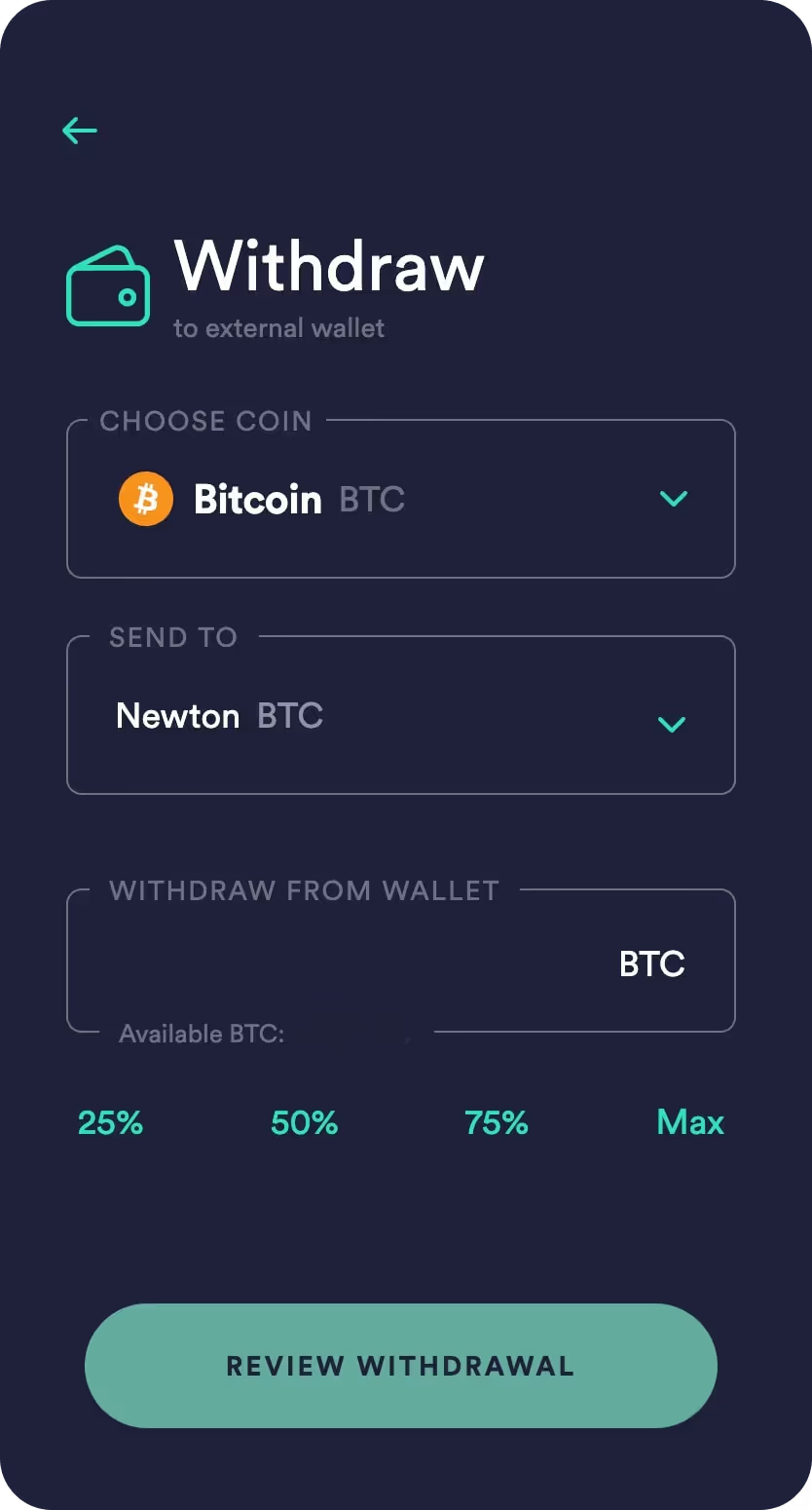
Select the cryptocurrency you want to withdraw (i.e., Ethereum).
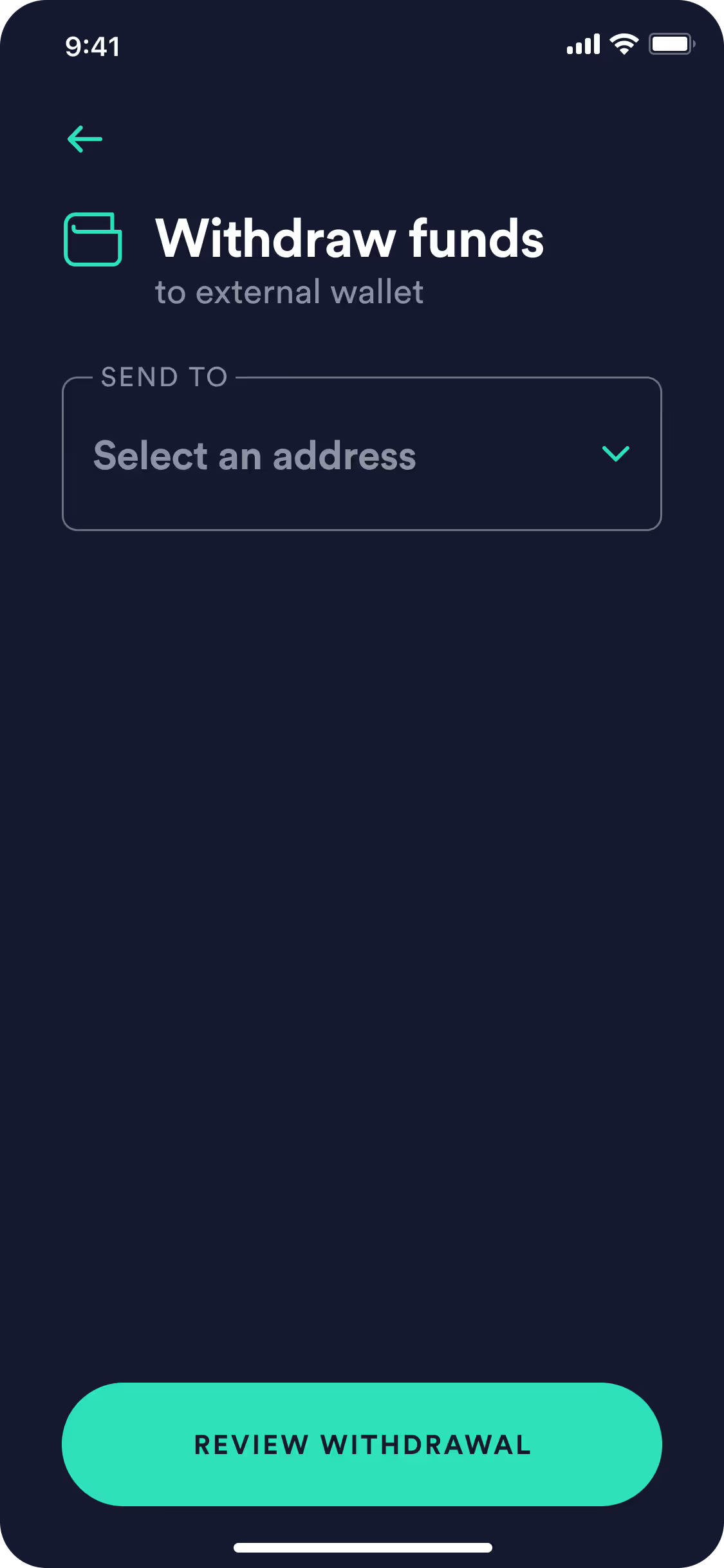
Paste the MetaMask address you copied into the destination address field. Double-check the address to ensure it’s correct
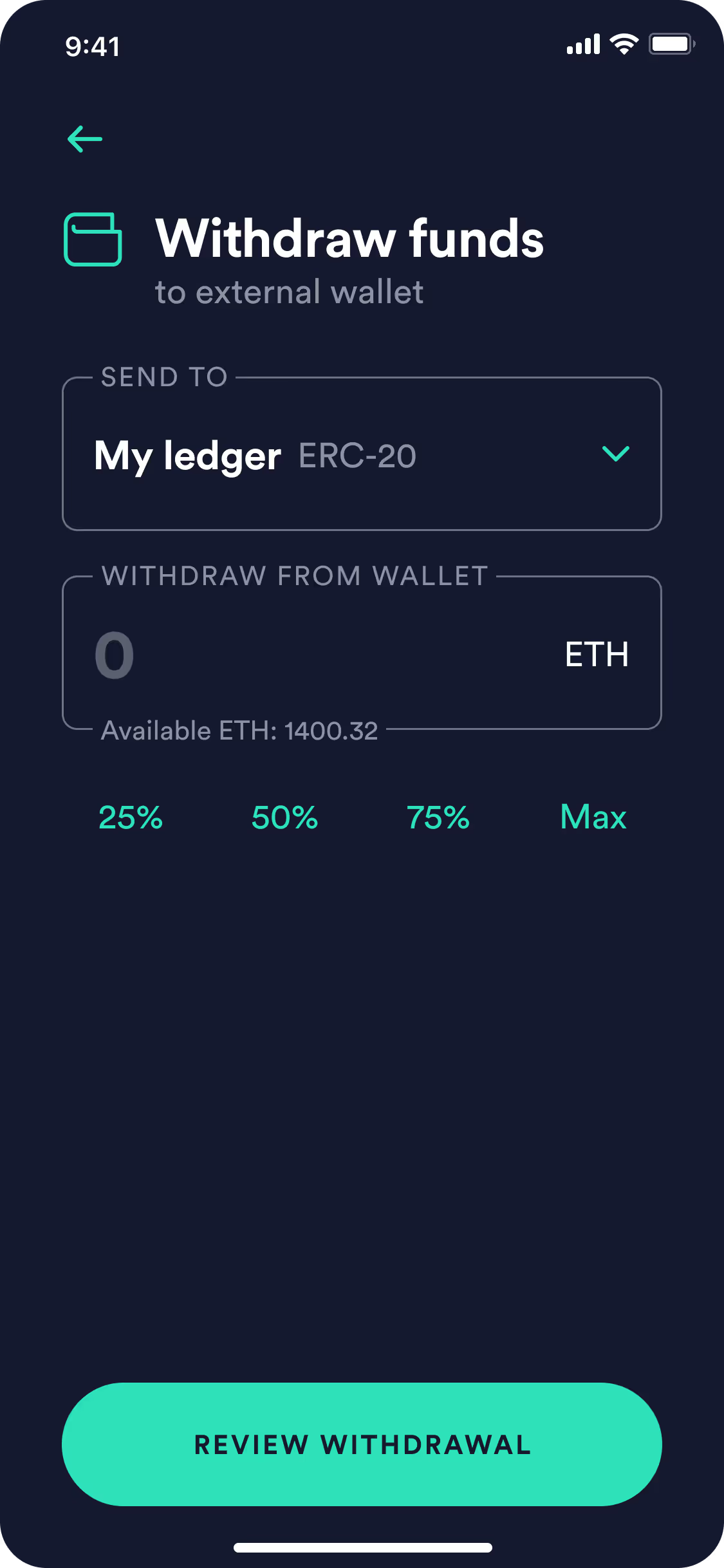
Specify the amount of cryptocurrency you want to withdraw. You can type the exact amount or select a predefined percentage (25%, 50%, 75%) or choose the maximum amount available.
Click “Review Withdrawal” to verify the details. If everything looks good, click “Withdraw Funds.”
Via the Newton App
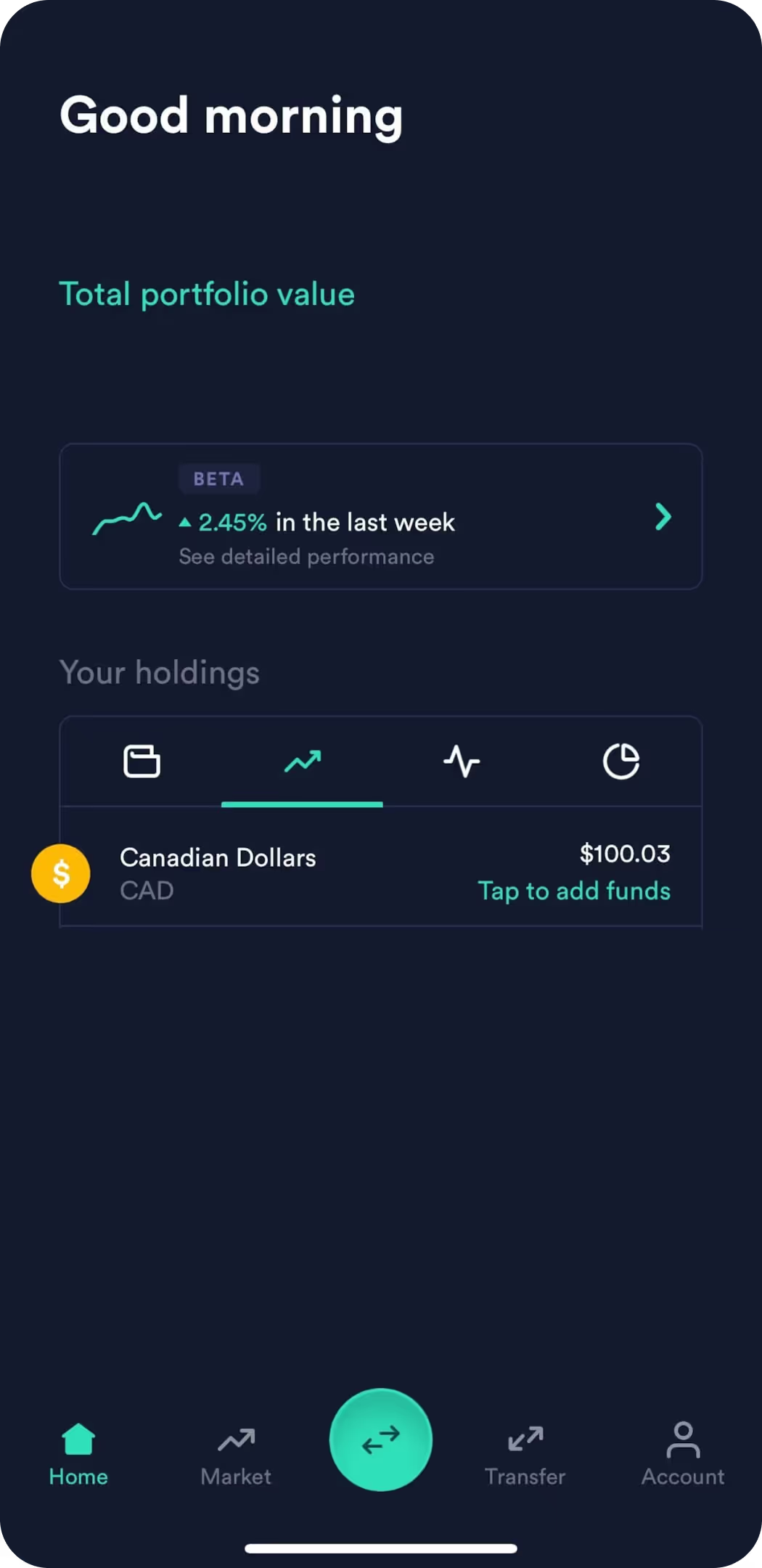
Log in to your Newton account on your mobile device.
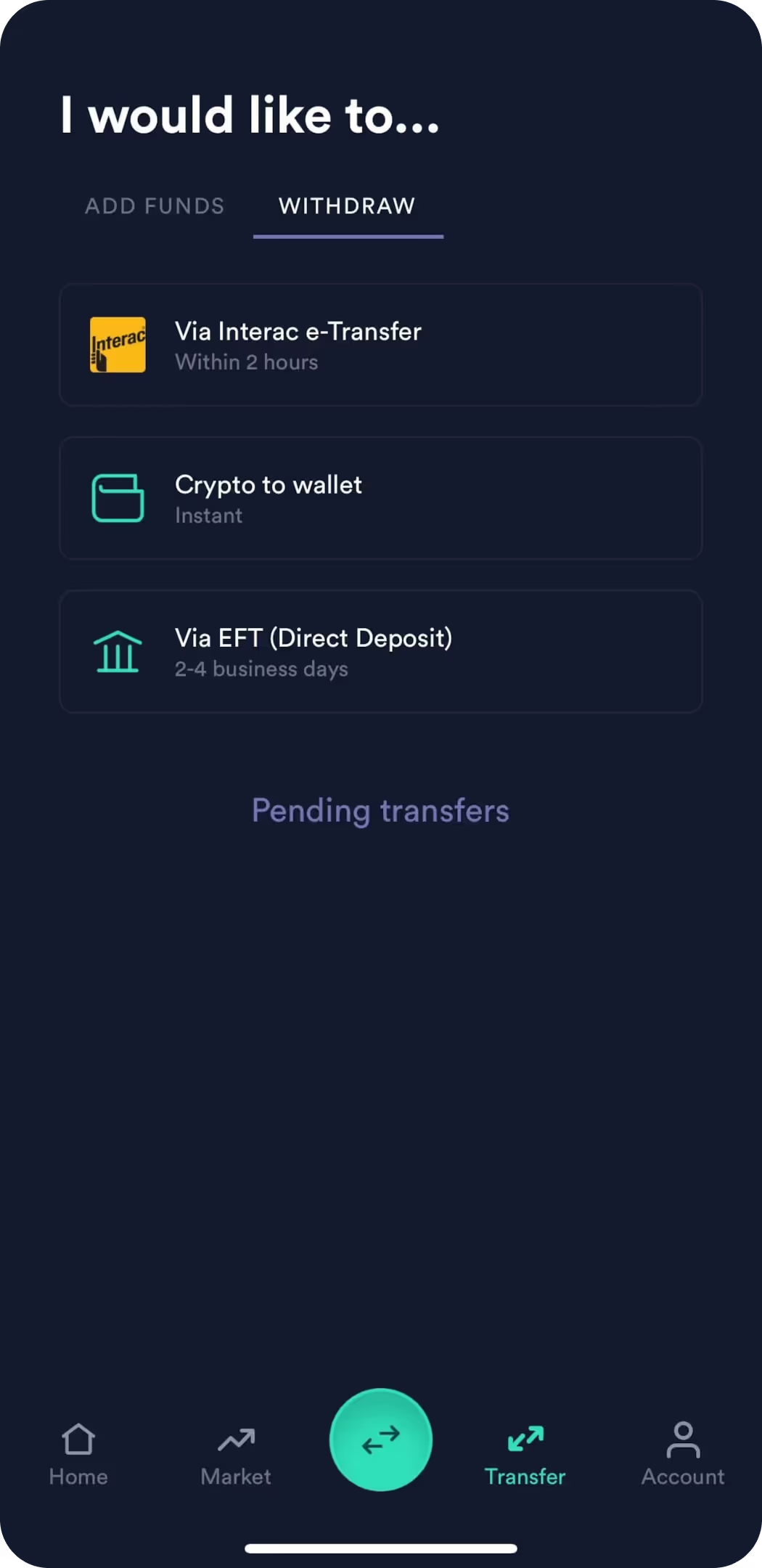
At the bottom of the dashboard, navigate to the Transfer icon.
Go to the Withdraw tab (Transfer icon) and select "Crypto to Wallet."
Specify the amount of crypto you want to withdraw. You can choose the exact amount or from preset options such as 25%, 50%, 75%, or opt to withdraw the full available balance.
Tap “Review Withdrawal” to verify the details. If everything looks good, tap “Withdraw Funds.”
Step 3: Understand Transaction Fees
Ethereum Network (Gas) Fees: The Ethereum network charges gas fees for processing transactions. Every transaction on the Ethereum blockchain (or other supported networks) incurs a gas fee.
Newton Fee Subsidy: Newton has three speeds for withdrawing, including a free option.
Variable Transaction Fees: Transaction fees vary depending on network congestion
Token and Network Differences: Fee structures vary between different tokens and networks
Step 4: Monitor the Transaction and Check Your MetaMask Wallet
Once the withdrawal is processed, your crypto should appear in your MetaMask wallet within a few minutes (typically 5-20 minutes). Here’s how to check:
Open MetaMask
View Your Balance: Your transferred crypto (e.g., Ethereum) should now appear in your wallet balance.
Verify on Etherscan: For added peace of mind, you can verify the transaction on Etherscan by entering your MetaMask Ethereum address.
Withdrawals typically go through right away. However, in some cases, the withdrawal may be queued for manual review; if that happens, you'll see it marked as "pending" in your account until we've finished reviewing it.
Tips for a Smooth Transfer
Accuracy of the Destination Address: Always double-check the address before confirming the transfer. Sending crypto to the wrong address could result in permanent loss of funds.
Supported Networks: Ensure that the crypto you’re transferring matches the network selected in MetaMask (e.g., ETH on Ethereum, BNB on Binance Smart Chain).
Start Small: Always start with a small amount to ensure the process works as expected.
Save frequently used addresses: For added convenience and security, save frequently used addresses in Newton's address book.
Troubleshooting Common Issues
If you encounter problems during the transfer process:
Verify the network congestion
Confirm you have sufficient funds to cover the transfer amount plus fees
Check that your destination address is correct
Ensure the token is supported on the chosen network
Contact Newton support if the transaction remains pending for an extended period.
Frequently Asked Questions
Can I Send Other Cryptos to MetaMask from Newton?
Yes, While this guide mentions Ethereum a lot, you can also send other ERC-20 tokens (e.g., USDC, LINK) to MetaMask. Just ensure the token is supported on the Ethereum network or the specific network you’re using.
What Networks Does MetaMask Support?
MetaMask supports multiple networks, including:
Ethereum Mainnet
BNB Smart Chain (BNB)
Polygon (POL, previously MATIC)
Avalanche (AVAX)
Fantom (FTM)
Harmony (ONE)
Optimism (OP Mainnet)
Arbitrum
Celo
Aurora
You can also add any other custom networks to MetaMask as long as they are EVM-compatible. Non-EVM blockchains, such as Bitcoin and Solana, are not directly supported by the MetaMask platform.
What If My Withdrawal Is Delayed?
Withdrawals are usually processed instantly, but they may be delayed during periods of high network congestion. If you encounter issues, contact Newton support through the in-app help chat or visit Newton Support.
No items found.
Get Newton
The Canadian crypto trading platform you can trust.
This article is for informational purposes only and does not constitute investment, financial, or legal advice. Cryptocurrencies and blockchain-based assets are highly speculative, subject to significant risks including price volatility, regulatory uncertainty, and potential total loss of investment. Crypto assets are not insured by the Canada Deposit Insurance Corporation (CDIC). Cryptocurrencies and stablecoins may be considered securities or derivatives under Canadian law, subject to CSA and CIRO oversight. Consult a qualified financial or legal professional before making investment decisions. No securities regulatory authority has expressed an opinion about any of the crypto assets made available on the Newton’s platform, including any opinion that a crypto asset is not a security and/or derivative. This blog may contain links to other websites for informational purposes or for your convenience. We do not control the linked websites or the content provided through such websites, and we have not reviewed, in their entirety, such websites. Your use of linked websites is subject to the privacy policies and terms of use established by the specific linked website, and we disclaim all liability for such use. The fact that we offer such links does not indicate any approval or endorsement by us of any linked website or any material contained on any linked website, and we disclaim any such approval or endorsements.




.png)